
Introduction
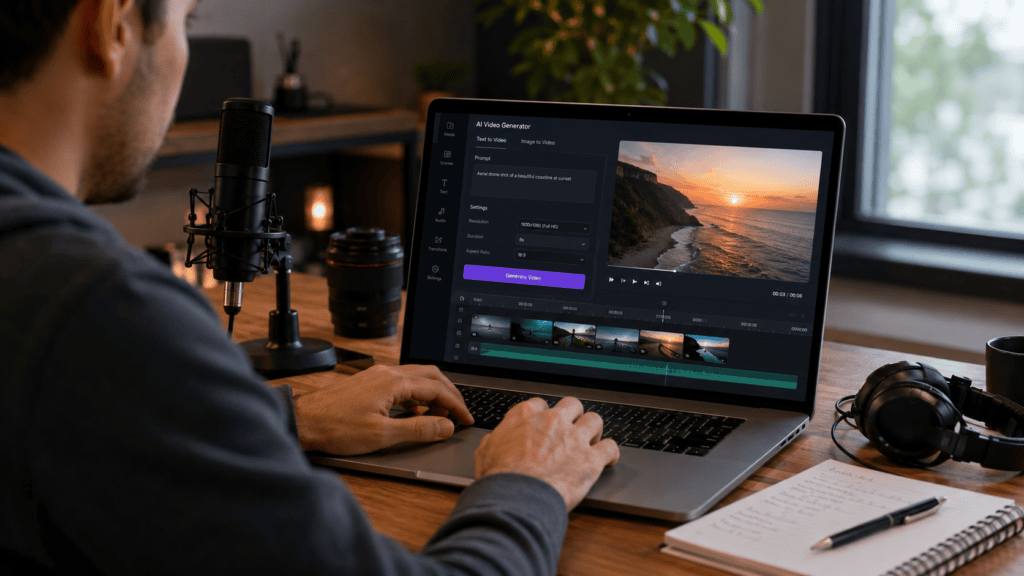
Creating a professional video can take hours of planning, recording, editing, and revisions. An AI video generator can simplify parts of that process by turning text prompts, scripts, images, or other inputs into video content.
Depending on the platform, AI can help create scenes, generate visuals, add narration, produce subtitles, animate images, and assemble video sequences.
That makes these tools useful for marketers, YouTubers, educators, small businesses, social media creators, and anyone who needs video content without a large production setup.
But AI-generated video isn’t a replacement for creative judgment. The strongest results usually come from combining AI automation with a clear concept, good writing, human editing, and careful fact-checking.
In this guide, you’ll learn how AI video generators work, what they can create, their biggest benefits and limitations, and how to choose the right tool for your workflow.
What Is an AI Video Generator?
An AI video generator is software that uses artificial intelligence to create or assemble video content based on instructions or source material.
Some tools can generate short video clips from text descriptions. Others can turn scripts into complete presentations with visuals, narration, subtitles, and transitions.
The technology varies considerably between platforms.
An AI video tool might offer features such as:
- Text-to-video generation
- Image-to-video animation
- AI avatars
- Automated voiceovers
- Script generation
- Subtitle creation
- Video editing
- Background generation
- Scene transitions
- Music and sound effects
The best choice depends on the type of video you want to create.
How Does an AI Video Generator Work?
The basic process is surprisingly simple.
First, you provide an instruction, script, image, or other input. The AI then interprets the material and generates or assembles visual and audio elements.
A typical workflow looks like this:
- Write an idea or script.
- Define the video’s style and format.
- Generate scenes or visual assets.
- Add narration or captions.
- Review the video.
- Edit mistakes and inconsistencies.
- Export the finished video.
More advanced platforms may allow users to control individual scenes, camera movement, characters, narration, and visual style.
Text-to-Video vs Image-to-Video
These are two common approaches to AI video creation.
Text-to-video starts with a written prompt. The AI generates visual content based on the description.
Image-to-video starts with an existing image and adds movement or animation.
For example, a creator could provide an image of a product and use AI to create a short promotional sequence around it.
Both approaches have different strengths, so the right option depends on your project.
Why Are AI Video Generators Popular?
Video is useful for marketing, education, entertainment, and communication, but traditional production can require significant time and resources.
AI tools reduce some of the technical friction.
Faster Content Production
AI can help automate repetitive production tasks.
Instead of manually creating every subtitle, transition, voiceover, or basic visual, creators can use AI to produce a first version.
That doesn’t mean the first version will always be publication-ready. Human review remains important.
Easier Video Creation for Beginners
Traditional video editing software can feel complicated to new users.
AI video makers often use prompts, templates, timelines, or simplified workflows.
This can help people who have a strong idea but limited editing experience get started more quickly.
More Opportunities for Experimentation
AI makes it easier to try different concepts.
You can test multiple scripts, visual styles, hooks, or scene ideas without rebuilding an entire production from scratch.
That makes experimentation one of the most practical benefits of AI video creation.
7 Powerful Ways to Use an AI Video Generator
An AI video generator can be used for much more than entertainment. Here are seven practical applications.
1. Create Social Media Videos
Short-form video is a major content format across social platforms.
AI tools can help creators produce:
- Short educational clips
- Product videos
- Promotional content
- Quote videos
- Explainer videos
- News-style summaries
- Tutorial clips
Creators can start with a script and use AI to generate supporting visuals, captions, and narration.
The final video should still be reviewed for accuracy and quality before publishing.
2. Turn Blog Posts Into Videos
Existing written content can become a starting point for video production.
For example, a blog article about productivity could be converted into a short explainer video.
The process might involve:
- Extracting the main points.
- Creating a shorter video script.
- Dividing the script into scenes.
- Generating visuals.
- Adding narration and captions.
- Editing the final sequence.
This can help publishers reuse existing content in different formats.
3. Create Product Demonstrations
Businesses can use AI-generated video to explain how products work.
A product video might show:
- Key features
- How the product is used
- Common problems it solves
- Setup instructions
- Benefits
- Frequently asked questions
For physical products, however, generated visuals shouldn’t misrepresent the actual product.
Use real product photography or verified assets whenever accuracy matters.
4. Produce Educational Videos
Teachers, trainers, and course creators can use AI video tools to create educational material.
A lesson can combine narration, diagrams, text, illustrations, and simple animations.
This can make certain topics easier to explain visually.
Still, educational content requires careful review. AI-generated explanations can contain errors, so factual accuracy should always be checked.
5. Create Marketing Videos
AI can assist with promotional content for businesses.
For example, a company might create an explainer introducing a service or demonstrate a common customer problem.
AI can help generate early concepts, scripts, storyboards, and visual sequences.
Human editing is still useful for ensuring that the video matches the brand’s tone and accurately represents its offering.
6. Animate Still Images
Image-to-video tools can add movement to otherwise static visuals.
A photograph can potentially be transformed into a short animated sequence.
This can be useful for:
- Product images
- Illustrations
- Historical photographs
- Artwork
- Travel content
- Social media posts
The quality of motion varies, so creators should check for unnatural movement and visual artifacts.
7. Build Video Prototypes
Video production normally takes time, especially when an idea hasn’t been tested.
AI makes it possible to create rough visual prototypes before investing heavily in a full production.
A marketing team might generate several versions of an advertisement concept and use the results to decide which direction deserves further development.
Benefits of AI Video Creation
AI video generation has several practical advantages.
Saves Production Time
Automating parts of scripting, visualization, narration, captioning, and editing can reduce repetitive work.
The exact time savings vary by project, so there’s no universal figure that applies to every creator.
Reduces the Technical Barrier
Beginners don’t necessarily need advanced animation or editing skills to experiment with AI-generated videos.
This makes video production more accessible to individuals and small teams.
Supports Rapid Iteration
AI makes it easier to test variations.
You can change:
- The opening hook
- Narration
- Visual style
- Scene order
- Background
- Length
- Aspect ratio
This flexibility is particularly useful during the creative process.
Helps Repurpose Content
One piece of content can become several formats.
A long article could inspire:
- A YouTube video
- Several short clips
- Social media content
- An educational presentation
- A product explainer
AI can assist with parts of that repurposing workflow.
Limitations of AI Video Generators
AI video tools are powerful, but they’re not perfect.
Visual Inconsistency
Characters, objects, clothing, and environments can sometimes change between scenes.
This can be distracting in longer videos.
Incorrect Details
Generated visuals may contain inaccurate objects, text, proportions, or environments.
For commercial or educational content, review every important scene.
Limited Creative Control
Some platforms provide extensive controls, while others prioritize simplicity.
If your project requires precise camera movement, character continuity, or detailed animation, check the platform’s capabilities before committing.
AI Detection and Authenticity Concerns
AI-generated content can raise questions about authenticity.
Creators should be transparent when synthetic media could reasonably mislead viewers, particularly when real people, events, or realistic representations are involved.
How to Choose the Best AI Video Generator
Choosing the right tool starts with your intended output.
Check the Generation Method
Decide whether you need:
- Text-to-video
- Image-to-video
- AI avatars
- Script-to-video
- AI editing
- Animation
- Video enhancement
Not every platform excels at all of these tasks.
Look at Video Quality
Test several samples before making a decision.
Pay attention to:
- Motion quality
- Image consistency
- Resolution
- Audio quality
- Lip synchronization
- Scene transitions
- Text rendering
A platform that looks excellent in promotional demos may perform differently with your own prompts.
Consider Editing Features
Generation is only one part of video production.
A useful platform should ideally let you make corrections after generation.
Look for editing options such as:
- Timeline editing
- Scene replacement
- Caption editing
- Audio controls
- Voiceover adjustments
- Image replacement
- Background changes
Review Commercial Rights
If you’re creating videos for clients or businesses, carefully review licensing terms.
Check whether your plan permits commercial use and understand any restrictions involving generated media, stock assets, voices, music, or third-party content.
How to Create a Video With AI
You don’t need to begin with a complicated project.
Step 1: Define the Goal
Decide what the video should accomplish.
Is it designed to:
- Educate?
- Sell?
- Explain?
- Entertain?
- Drive traffic?
- Introduce a product?
A clear goal makes the creative process much easier.
Step 2: Write the Script
A good video starts with a good script.
Keep sentences concise and organize the content into logical scenes.
Don’t try to explain everything in one video.
Step 3: Create a Storyboard
Break the script into visual sections.
For each scene, determine:
- What viewers should see
- What the narrator says
- How long the scene should last
- What action should happen
This gives the AI clearer instructions.
Step 4: Generate the Video
Enter your prompts or upload the required source material.
Generate a first version rather than trying to make everything perfect immediately.
Step 5: Edit and Review
Watch the entire video.
Look for:
- Incorrect visuals
- Awkward transitions
- Pronunciation problems
- Unnatural motion
- Spelling errors
- Missing information
- Inconsistent branding
Then revise the weak sections.
Step 6: Export for the Right Platform
Different platforms may require different video dimensions.
For example, vertical video works well for many short-form mobile experiences, while horizontal video is commonly used for traditional video platforms.
Choose the format based on where the content will be published.
Best Practices for AI-Generated Videos
A few simple habits can improve your results.
Keep Prompts Specific
Instead of writing:
“Create a business video.”
Describe the subject, environment, action, mood, framing, and visual style.
Specific prompts generally provide clearer direction.
Generate Short Scenes
Short scenes are often easier to review and replace than one long generation.
This also gives you more control over the final edit.
Use Consistent Visual Instructions
If a project contains recurring characters, locations, or products, keep descriptions consistent.
Where supported, use reference images or other consistency controls.
Always Review AI Output
Don’t publish generated content without checking it.
AI can make subtle mistakes that aren’t immediately obvious.
Human review is especially important for factual claims, branded content, people, products, and sensitive subjects.
Common Mistakes to Avoid
Avoid these common problems when using AI video tools:
- Creating videos without a clear goal
- Using vague prompts
- Making every scene visually different
- Publishing unedited AI output
- Ignoring copyright and licensing
- Misrepresenting generated scenes as real footage
- Using a real person’s likeness without appropriate permission
- Forgetting to check narration and subtitles
- Prioritizing visual effects over useful information
Good AI video content isn’t about generating the most complicated visuals. It’s about communicating an idea clearly.
Frequently Asked Questions
What is an AI video generator?
An AI video generator is software that uses artificial intelligence to create or assemble video content from prompts, scripts, images, or other inputs. Features vary between platforms.
Can I create videos with AI without editing skills?
Yes. Many AI video tools are designed to simplify video creation for beginners. However, basic editing and review skills can help you produce more polished results.
Can AI generate videos from text?
Yes. Text-to-video systems can use written descriptions or scripts as instructions for generating video content. The available duration, visual quality, and level of control depend on the specific tool.
Can AI video generators create YouTube videos?
Yes. AI tools can assist with scripts, visuals, narration, subtitles, and editing for YouTube content. Creators should review the final video for accuracy, originality, licensing, and platform requirements.
Are AI-generated videos copyright-free?
Not necessarily. Copyright and licensing can depend on the source material, tool’s terms, generated content, and jurisdiction. Always review the applicable rights before using AI-generated content commercially.
Are AI-generated videos safe to use?
They can be used responsibly when creators follow applicable laws, platform rules, licensing requirements, and ethical practices. Extra care is needed when videos depict real people, events, or sensitive information.
Final Thoughts
An AI video generator can make video production faster and more accessible by helping with scripting, visuals, narration, animation, captions, and editing.
The technology is particularly useful for creators and businesses that need to experiment with ideas or produce content regularly. But AI shouldn’t replace human judgment. The best results come from strong concepts, clear prompts, careful editing, and thorough review.
If you’re ready to experiment, start with one short video. Write a focused script, generate a few scenes, review the output, and refine the result before moving to a larger project.
Used thoughtfully, an AI video generator can become a practical part of your content creation workflow.
Pingback: Text to Video AI: 7 Powerful Ways to Create Videos - AIMazine – AI Tools, News, Tutorials & Prompt Engineering