
Your headline has a lot of unwanted responsibilities
Titles are for stems, not headlines. Your name and job title appear everywhere a headline would. From search results to connection requests to participant lists for comment groups, to the preview someone gets before opening your profile. If you are boring, you get ignored. If you are specific, you get clicked.
LinkedIn headline generators are not the worst idea. When you know the secret behind what makes a good headline, you won’t be stuck with something as bad as everyone else’s. The formulas and this guide will show you how to spot a good headline, edit an AI draft, and make it your own.
After reading, you will have the knowledge to write a headline that will knock the socks off your audience, even without an AI tool to write the first draft.
What LinkedIn headline generators do
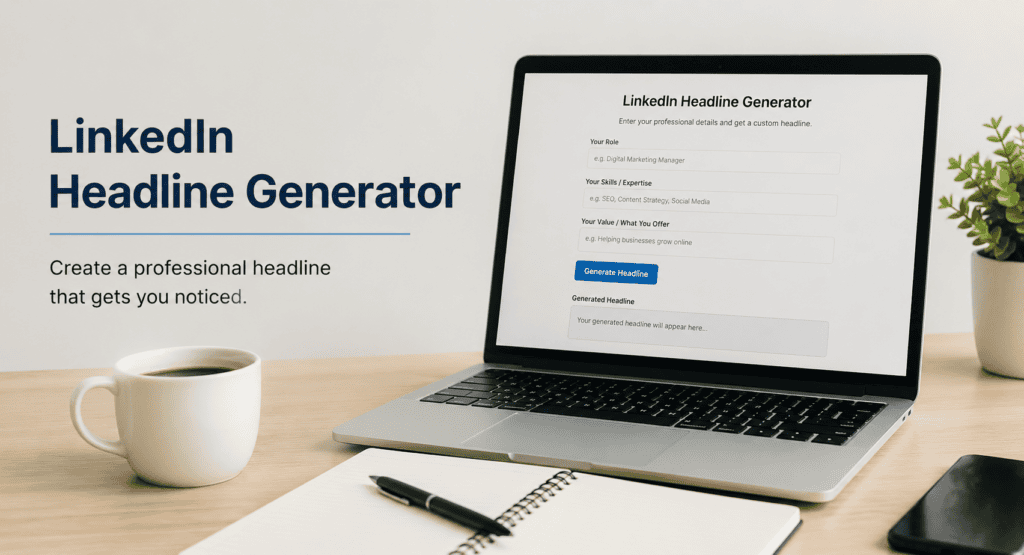
Some web tools feature AI to create headlines for you. Generators need a role, industry, and a couple of skills and a goal. They produce multiple headlines as output. Some are built into Resume tools.
There are three different uses:
- Speed . You get five or ten choices in the time it would take you to write one yourself.
- Form. Good generators use proven headline formulas, so the output is not random.
- New viewpoints. They can come up with phrasing you wouldn’t have thought of, especially if you’ve been looking at your own profile too long.
The catch: generated headlines are drafts, not finished products. They’re very generic until you specify—a real number, a real client type, a real skill that no one else in your field mentions.
What Makes a LinkedIn Headline Effective
It helps to know what recruiters, clients, and connections are looking for before you start entering anything in a generator. Research from LinkedIn and various career coaches shows a few consistent patterns [NEEDS SOURCE for specific stats].
It should be able to be searched
LinkedIn’s search algorithm puts a lot of weight on your headline. If your headline reads “Passionate About People and Products” but you’re a “Growth Marketer,” you won’t show up when someone searches for “growth marketer”. Use the actual job title or skill someone would enter in the search bar.
It should be specific, not just descriptive
“Marketing Professional” tells people nothing. “I help D2C brands cut customer acquisition cost through paid social” tells them exactly who you help and how. Specificity is what separates a headline that gets a click from one that gets scrolled past.
It should hint at value, not just list duties
A job title describes what you are. A strong headline describes what you do for someone else. That shift — from identity to outcome — is usually the single biggest improvement you can make.
LinkedIn headline formulas you can steal
If you’d rather skip the generator entirely, these formulas cover most use cases.
- Role + Who You Help + Outcome “Product Designer helping fintech startups ship smoother onboarding flows”
- Role + Specialty + Proof Point “B2B Copywriter | SaaS Landing Pages | 40+ Startups Worked With”
- Senior Data Analyst | Healthcare Analytics | SQL, Python, Tableau
- You Solve Problem “I help e-commerce brands to stop losing carts at checkout”
- Career Transition Headline “From classroom to UX research | Empathy from classroom to product design”
Choose the formula that suits your goal. Formula 3 (Recruiters Looking for Keywords) works better for job seekers. Freelancers and consultants tend to do better with formula 1 or 4 (clients are looking for a solution, not a title).
Using a Headline Generator for Resumes without the Generator Feel
A headline generator is great for providing you with a starting place. However, you do not want to be one of those people that pastes the first result for you next to your name. Going self with a few edits is sufficient enough to avoid reusing an unprofessional header of a sentence.
- Replace blank place holder business nouns with descriptive business nouns. For example, if your noun was “businesses”. Then what type of business? A real example will add a lot more clarity.
- Add in a real number if you have one. Work years, clients, or values (not dollar signs)…something real with a quantity is showing employer you are no phonie.
- Rid your header of dull words like: passionate, dynamic, and results-driven. These words are found thousands of times and have no meaning whatsoever.
- Voicify everything. If easily read aloud, and appropriate for a networking event, then it is good enough. If it’s a press release… then it’s not.
- Make sure you are within character limit. 220 characters is the estimated number displayed in LinkedIn and even less on mobile.
FAQ
Can I publish my LinkedIn headline as written by AI?
Probably not, but it’s better as a first answer than a last one. AI can fill in the blanks when it comes to structures, but it likes to use a lot of generic phrasing. Adding specific numbers, clients, or skills makes a big difference.
What should the ideal length of a LinkedIn headline be?
LinkedIn provides 220 characters, but you can’t really take advantage of that. Your headline should be front-loaded so that you include your title and your specialty in the first 100 characters, since that’s the only part that shows in search results and mobile previews.
Should my headline be my job title?
If you can avoid it, no. A title, by itself, is accurate, but it is very forgettable. Your title and what you do should be there along with a result that you have driven.
Do keywords in my headline impact my results on LinkedIn?
They do. When you include the keywords that you think someone would actually search for (your title, your niche, and your important skills), your headline can improve the likelihood of your search results appearing.
How often should I change my LinkedIn headline?
As often as you change your role and objectives. You probably should change your headline written around your job search to “grow in this role” after you land the job, and vice versa if you start looking.
The linkedin headline generator will help you get unblocked and give you a few great ideas to start off with. The problem is, those headlines which will generate views for your profile and responses from people are going to be the ones which have a real piece of information in them – it’s either the type of client, some numbers, or the problem which you’ve solved. Use the headline generator if you wish, but make sure you replace it with something personal before you publish it.
Just create 3 headlines based on the templates above, speak them aloud and choose the one which you would normally use. This one is likely to be published.