
Explore emerging AI productivity tools in 2026 beyond Chat GPT and Notion, including GPTHuman, Winston AI, NeuronWriter, Explainpaper, Supernormal, Granola, Monity, Smartlead, Lovable, Kilo Code, and n8n. Learn their features, pricing, privacy policies, and real-world use cases across writing, research, meetings, SEO, automation, and app development, plus a practical workflow to maximize efficiency. We conclude with considerations for adoption (security, integration, and ROI) and a future outlook on AI productivity.
Tool Profiles
GPTHuman AI (by GPTHuman team)
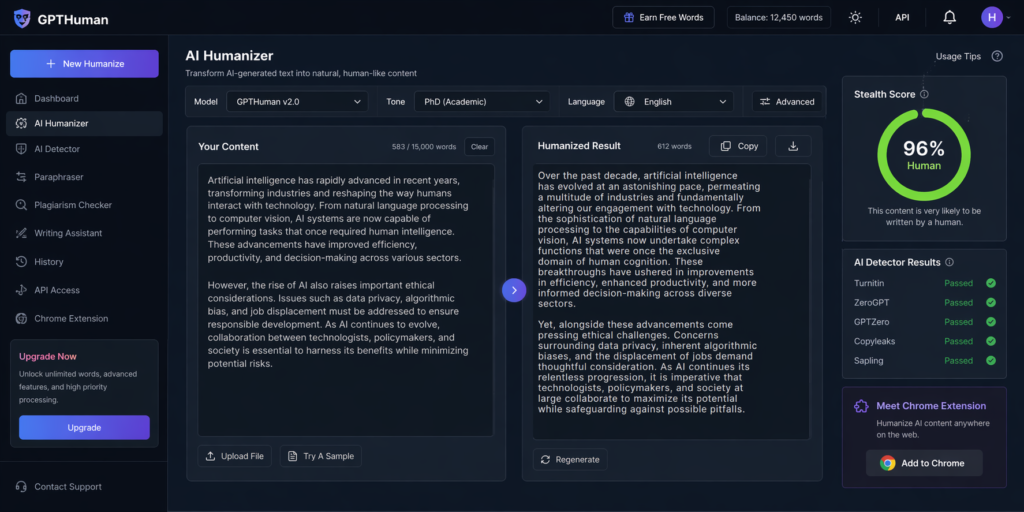
- Use Case: Transforms AI-generated or drafted text into more natural, human-like writing and avoids AI detection. Targets students, bloggers, SEO writers.
- Key Features: “AI Humanizer” editor with tone adjustment (casual, academic, etc.), built-in AI detector, paraphraser, multilingual support, and an API. Generates content and then “re-humanizes” it to bypass detectors.
- Platforms: Web app and REST API (also Chrome extension).
- Pricing: Freemium model: free tier plus Starter ($15/mo), Plus ($25), Unlimited ($49) plans.
- Privacy/Data: Processes user text on GPT Human servers. This privacy policy notes that user inputs and usage may be logged for analysis and improvement (standard cloud processing). Content may be stored encrypted, with opt-out for model training.
- Strengths: Strong anti-AI-detection guarantees (“bypass all premium AI detectors”), multi-tone control, and built-in plagiarism check. Good for academic or SEO writing refinement.
- Limitations: Relies on cloud processing (sensitive docs uploaded), quality depends on underlying AI. Subscription needed for high volume.
- Example: A student feeds a Chat GPT draft into GPT Human; the tool rewrites it in “PhD tone” with synonyms and natural phrasing, passing Turnitin/ZeroGPT checks.
Winston AI (by Winston Inc.)
- Use Case: Detects AI-generated content and provides writing feedback. Geared to educators and publishers verifying authenticity. Also checks images for AI-generated fakes.
- Key Features: Multi-modal AI detector (text/image), plagiarism checker, fact-checking, writing improvement suggestions. Certified to label content (e.g., “HUMN-1” certification logo). Claims >10M users.
- Platforms: Web interface, browser extension, and an enterprise API.
- Pricing: Freemium with limited daily scans; Pro plans (approx $39/month) for unlimited checks.
- Privacy/Data: Submitted text/images are analyzed and stored on Winston’s servers. Privacy policy confirms encrypted storage and in-house processing. They may use data to refine their detectors.
- Strengths: Broad detection coverage (counts on multiple detectors), educational focus (plagiarism + AI detection). Fast feedback on writing.
- Limitations: Can flag false positives; works only as a detection tool (no generation). Dependence on the latest detection models.
- Example: A teacher pastes a student essay into Winston; it flags sections likely AI-written and suggests paraphrasing prompts.
NeuronWriter (by Contadu)
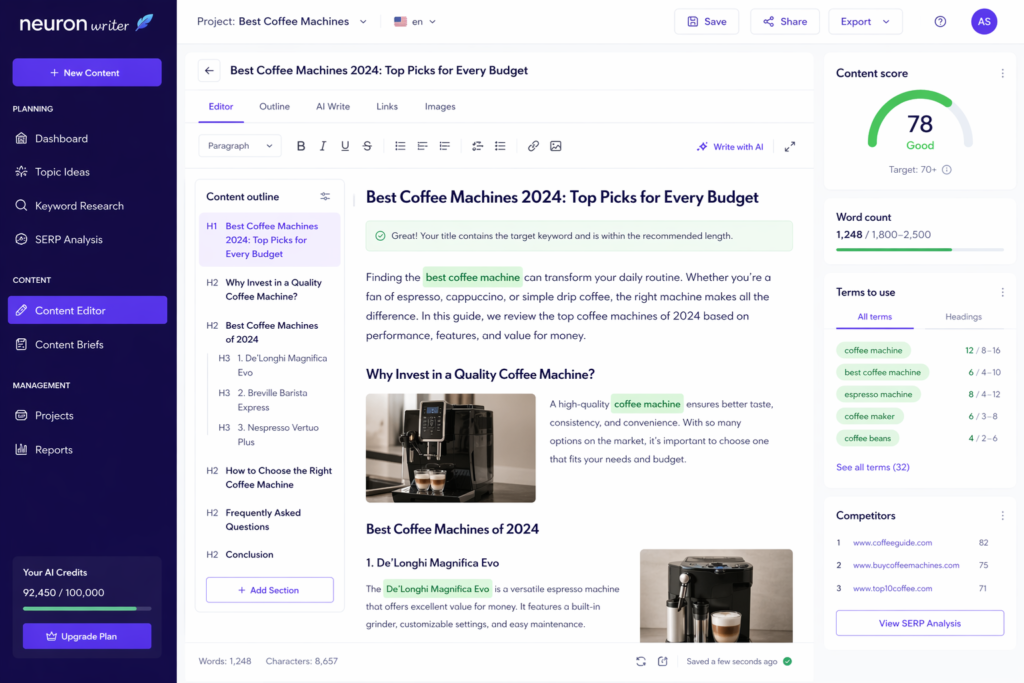
- Use Case: AI-powered SEO content planner and generator for marketers. Analyzes competitor pages and suggests outlines to rank higher.
- Key Features: Keyword research, competitor text analysis, AI-generated outlines and drafts, readability and plagiarism checks, link suggestions. Integrated editor with SEO score.
- Platforms: Web app (with Chrome extension for in-browser analysis).
- Pricing: Subscription (plans roughly €19–€97/year) with AI content credits. Monthly and annual options.
- Privacy/Data: User queries and competitor data are processed on Neuron Writer servers. Privacy policy indicates data is only shared with Google’s APIs if linked. Content is stored for project continuity but not sold.
- Strengths: Combines SEO expertise with GPT-generation. Useful for marketing teams wanting on-page optimization.
- Limitations: Specialized to SEO; not a general writing tool. Quality depends on SEO prompt.
- Example: A marketer enters a target keyword and competitor URL; Neuron Writer suggests an optimized article outline and even drafts a portion of it.
Explainpaper (by Explainpaper Inc.)
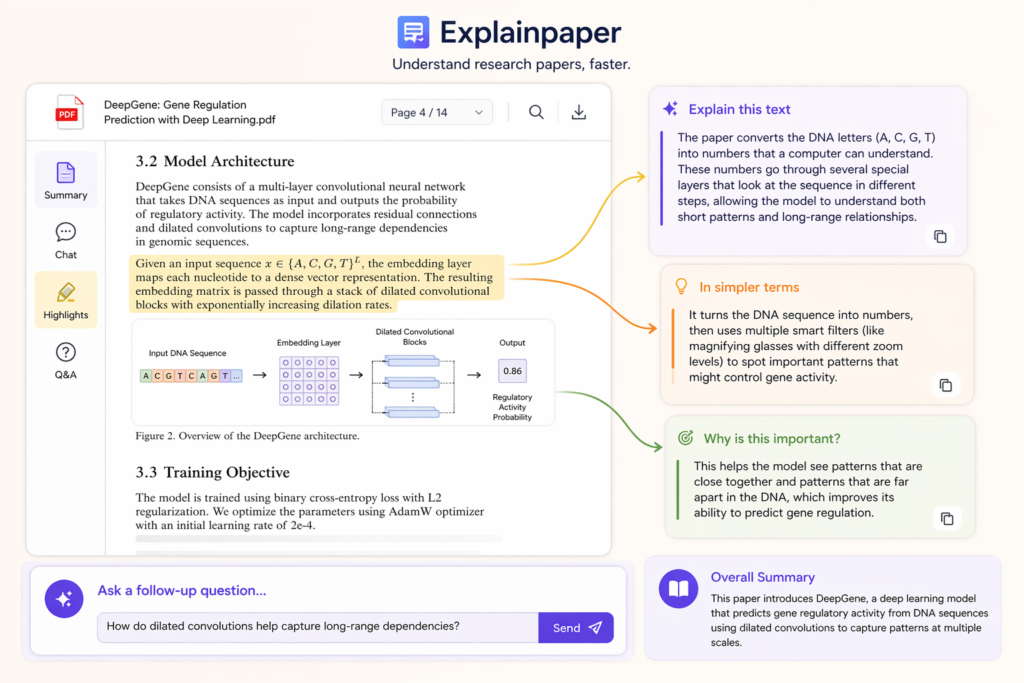
- Use Case: AI assistant for academic reading – summarizes and explains research papers sentence-by-sentence. Helps researchers grasp technical papers faster.
- Key Features: Upload PDF or link to arXiv; highlights confusing text and generates plain-language explanations; overall summary and section-by-section Q&A. Chat mode for deeper exploration. Offers citations.
- Platforms: Web app (browser-based); also has Chrome extension.
- Pricing: Freemium: basic free usage; Pro plan ($16/month) for higher usage and PDF upload. Institutional licensing possible.
- Privacy/Data: Processes uploaded research on the cloud. According to security listings, Explain paper is SOC2 and GDPR-compliant (uses AWS), implying encrypted storage. No audio/video.
- Strengths: Great for PhD students or scientists needing quick comprehension. Reduces hours of reading per paper.
- Limitations: Only covers text-based papers; may occasionally oversimplify complex ideas. Reliance on training data means very new topics might be paraphrased poorly.
- Example: A biologist uploads a dense genetics paper; the paper highlights a paragraph and explains it in plain terms, letting the researcher follow along more easily.
Supernormal (by Supernormal Technologies)
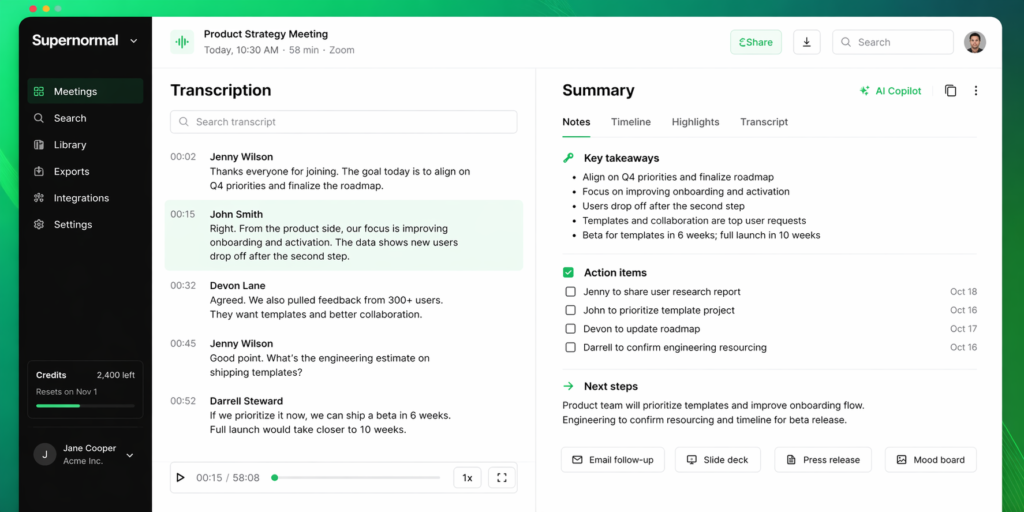
- Use Case: Automatic meeting capture and AI note-taking agent. Works like an AI assistant that joins virtual meetings to transcribe and summarize content, then generates deliverables.
- Key Features: Record from desktop app (no bot needed), real-time transcription, context-aware summaries. After meetings, generate email follow-ups, slide decks, press releases, and mood boards based on content.
- Platforms: Desktop (Windows/Mac) app, Slack/Teams integration, web dashboard. Also iOS app for phone calls.
- Pricing: Free trial (credits-based). Usage plans (e.g. ~$0.15/meeting minute or bulk credits). Premium unlocks unlimited AI exports.
- Privacy/Data: Strong enterprise-grade security: SOC 2, HIPAA compliant. Transcriptions are encrypted; audio is not recorded or stored (only text). Users control data sharing.
- Strengths: Turns meetings into written assets (emails, proposals, decks) with minimal effort. Integrates calendar invites for context. De-duplicates role of note-taker.
- Limitations: Requires desktop app and microphone; may miss non-verbal cues. Overwrites if multiple speakers talk at once. Priced per minute.
- Example: After a product strategy call on Zoom, Supernormal emails each attendee a concise summary and generates a draft slide deck of key points for the next meeting.
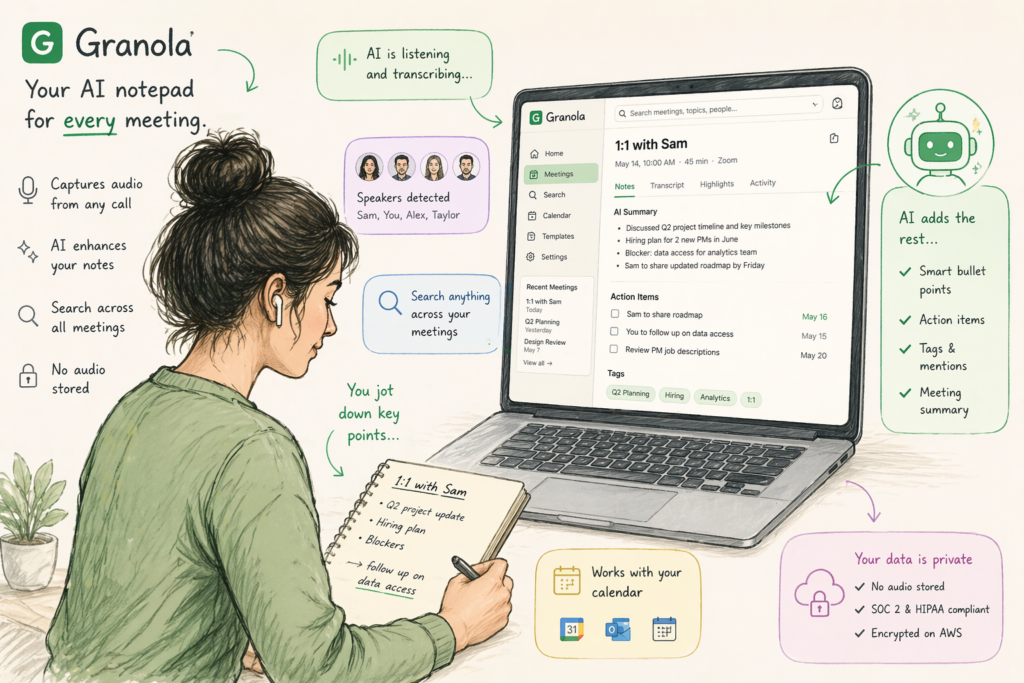
Granola (by Granola Inc.)
- Use Case: AI notepad for back-to-back meetings. Captures audio from any call (Zoom/Meet/Webex/etc) and enhances personal notes. Focus on search and recall across meetings.
- Key Features: Continuous transcription on Mac/PC (or iPhone for in-person meetings), AI-enhanced notes (smart bullet points, action items). Searchable personal “second brain” across sessions. Customizable note templates (sales call, 1-on-1, etc).
- Platforms: Desktop app (Mac/Windows) and iOS mobile. Syncs via cloud.
- Pricing: Freemium. Basic free plan (limited history). Business: ~$14/user mo for unlimited notes. Enterprise: ~$35 with SSO, admin controls.
- Privacy/Data: SOC2 and HIPAA compliant. Granola emphasizes privacy: no audio is stored, only transcripts and user notes. Uses local transcription engines (Deep gram, etc.), then stores text encrypted on AWS. Data training can be opted out.
- Strengths: Seamless for users to jot notes while AI captures rest. Strong search and context linking (mentions, tags). Excellent integration with calendar.
- Limitations: Only as good as microphone input; cannot capture what user missed. Mac-only (desktop app) is Windows only recently launched. Reliance on cloud for transcripts.
- Example: A manager jots sparse notes during a Teams call; after meeting, Granola adds action item bullets and tags attendees automatically, updating her task list.
Monity (by Monity Ltd.)
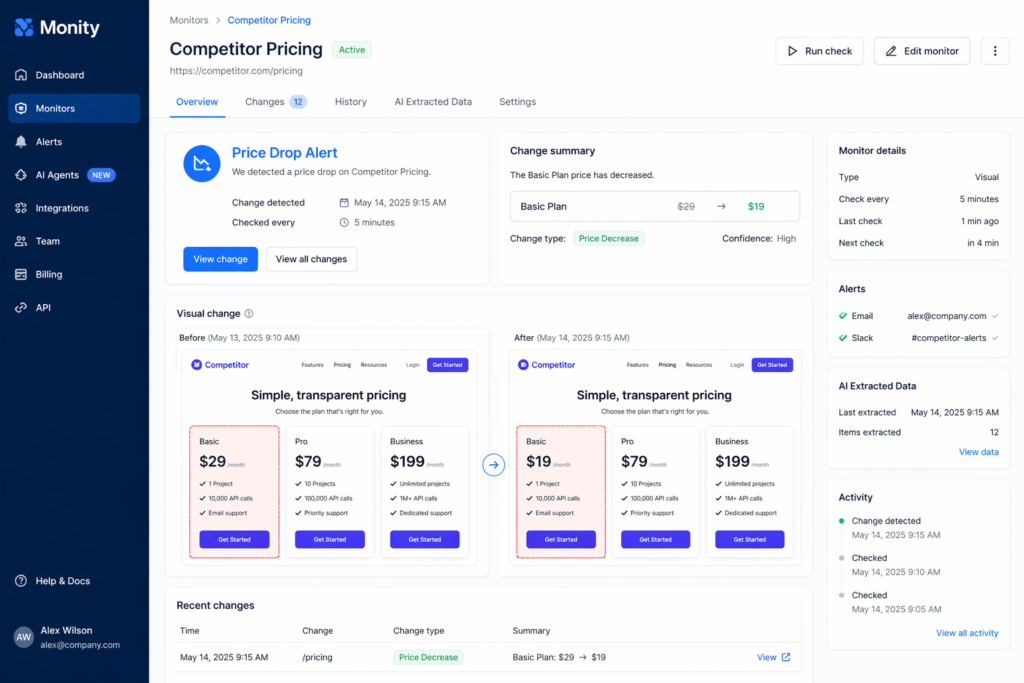
- Use Case: Monitors website content and notifies of changes. Useful for tracking competitors, product availability, pricing, and news updates on specified websites.
- Key Features: Visual and text monitoring of web pages; element change detection; AI-based data extraction from pages; scheduling (e.g., check every 5 min); alerts via email/Slack. Summarizes changes in digestible alerts.
- Platforms: Web service (browser interface). Config via dashboard; API access for enterprise.
- Pricing: Freemium. Free plan (50 checks/day). Paid plans $10–$70+/mo with more checks and tasks (see pricing tiers). Add-ons like “AI Agent Pack” for advanced tasks.
- Privacy/Data: UK-based company (Monity Ltd). Commits to UK GDPR (Data Protection Act 2018). Personal account data (email) and monitored webpage screenshots are stored (AWS S3 with encrypted, unique URLs). Does not sell data; shares data only with service providers.
- Strengths: Covers a wide range (price tracking, SEO changes, PR monitoring, research updates) with alerts and auto-extraction. Can simulate clicks or logins for internal pages. No-code setup for non-programmers.
- Limitations: Web scraping can break if the site changes layout. Limited AI summarization – mostly notification text. The free tier is very limited.
- Example: A marketer sets Monity to monitor a competitor’s pricing page; whenever prices change, Monity emails a summary of old vs new prices.
Smartlead.ai (by Five2One / Smartlead Inc.)
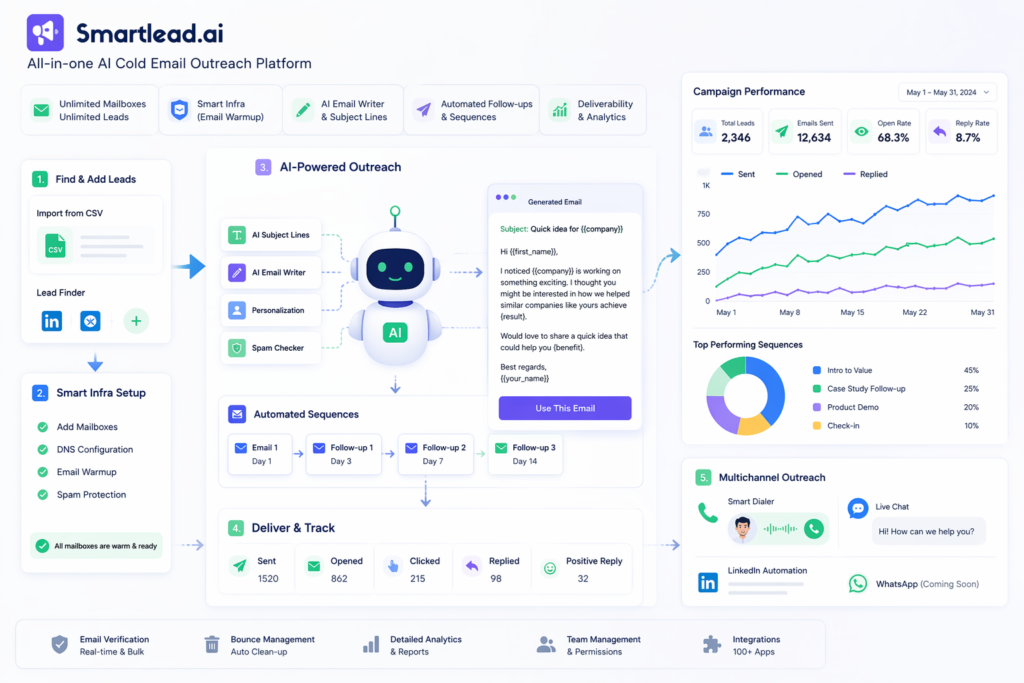
- Use Case: All-in-one AI cold-email / outreach marketing platform. Manages email infrastructure, prospect list generation, email deliverability, and AI-assisted copy.
- Key Features: Unlimited mailboxes and leads; built-in DNS/email warmup (“Smart Infra”); automated follow-ups; AI subject-line and email copy generator; email verification and bounce tracking; analytics dashboard. Also offers multichannel (calls/chat) via “Smart Dialer”.
- Platforms: Web app (SaaS) and mobile apps (iOS/Android).
- Pricing: Tiered subscription from ~$39/mo up (Base: 6K emails, 2K leads for $39/mo) up to enterprise tiers. Pay-as-you-go for extra lead data.
- Privacy/Data: 521 Products Pty Ltd (Australia) collects two types of data: Client Data (user account info, usage) and Prospect Data (names/emails sold or processed for marketing). Client content (emails) is used internally; prospect data is legally scraped from public sources per GDPR. Offers DPA and opt-out.
- Strengths: Combines AI tools (copywriting, prioritization) with infrastructure (dedicated IPs, warmups) to boost inbox placement. Enterprise features (scalability, analytics).
- Limitations: Geared to sales teams; steep pricing for high volume. Data privacy concern: collects and resells contact info. Complexity for beginners.
- Example: A sales rep loads a CSV of leads into Smart lead; it auto-generates personalized email sequences and automates warm-up to reach CEOs.
Lovable (by Lovable.dev)
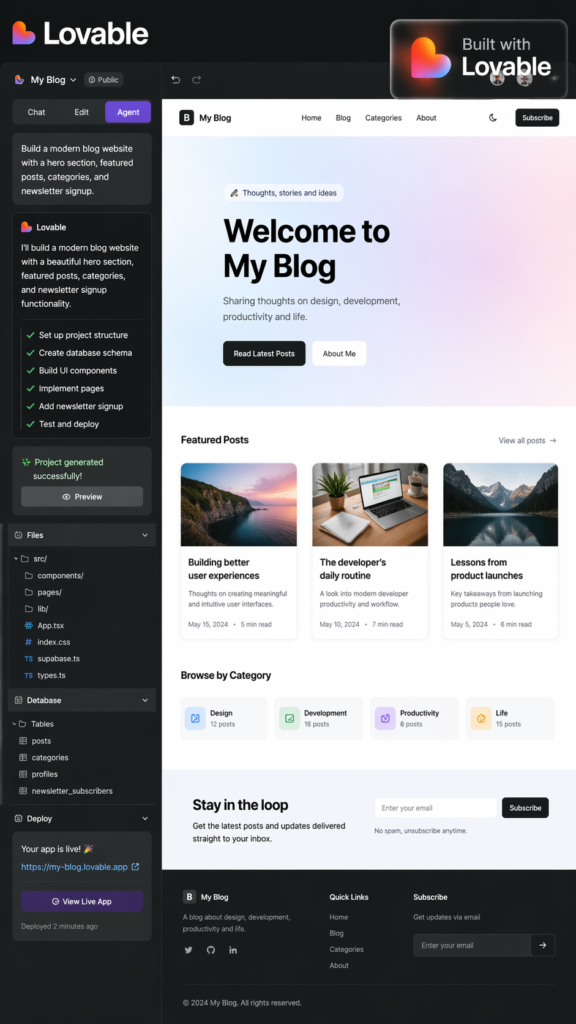
- Use Case: AI no-code app and website builder. Quickly prototype and deploy full-stack applications by describing them in natural language. Aimed at startups and product teams.
- Key Features: “Agent Mode” where AI autonomously codes front-end and back-end from prompts. “Chat Mode” for iterative design. Visual editor for UI “Visual Edits”. Generates React/Supa base/Stripe codebase, deploys to cloud, integrates auth and database automatically. Templates for common app types.
- Platforms: Web app (browser) and now VS Code extension. Deployed apps run on Lovable’s cloud or the user’s GitHub.
- Pricing: Freemium credits model. Free (limited credits). Pro $25/mo (100 monthly credits); Business $50/mo (higher usage, SSO, admin). Enterprise pricing by quote.
- Privacy/Data: Writes and stores user’s code and app data. Privacy page mentions SOC2 (Trust Center). Data is hosted on their servers (data processing agreement available). Users retain code ownership (GitHub sync).
- Strengths: Truly full-stack generation (database, auth, deployment). Exportable code. Good for rapid prototyping by non-devs. Supports code hand-off.
- Limitations: Credit-based billing can be confusing. Still in preview for large apps. UI customization has limits. Dependency on the platform.
- Example: A founder types “build a CRM app with customer list, login, and notes”; Lovable spins up a working app with UI and database in minutes.
Kilo Code (by Kilo Inc.)
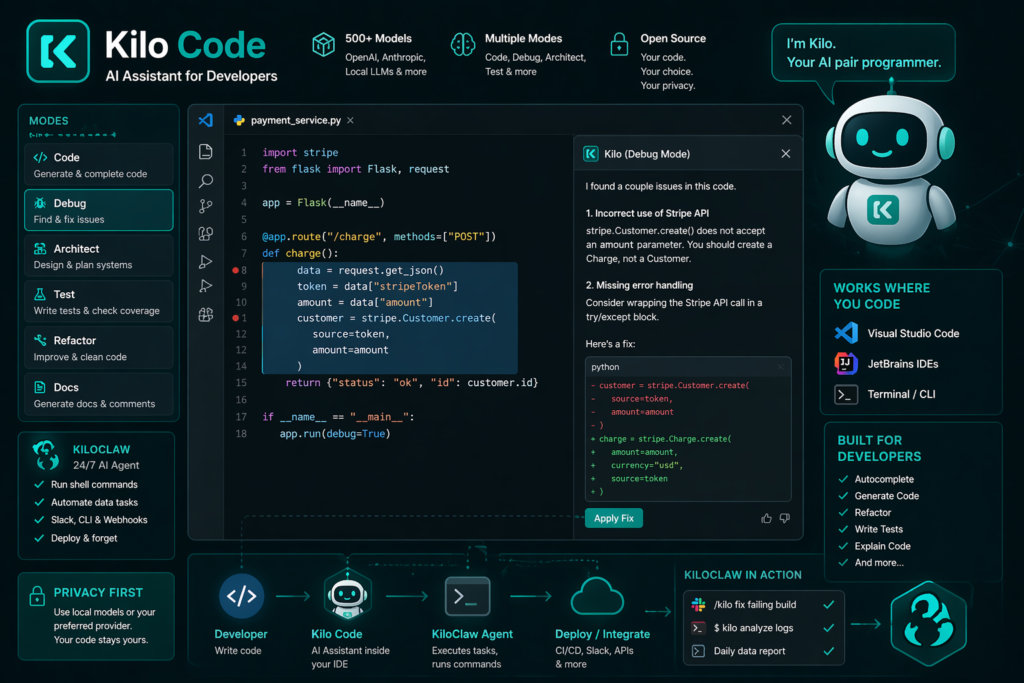
- Use Case: Open-source AI assistant/agent for software developers. Autocomplete and task execution inside IDE (like Copilot on steroids).
- Key Features: Multiple coding “modes” (Code, Debug, Architect, etc ) within VS Code/Jet Brains. Generates code, refactors, writes tests. Also provides Kilo Claw: deployable 24/7 AI agent for Slack/CLI to run shell commands or data tasks. 500+ supported models (OpenAI, local LLMs).
- Platforms: IDE plugins (VS Code, IntelliJ/PyCharm, etc.), CLI, Cloud agents (via their hosted service).
- Pricing: Core coding agent is free (open source). Cloud hosting (“KiloClaw”) has paid tiers. (Currently in early access).
- Privacy/Data: Open-source nature allows local AI usage. Code privacy is a focus: by default, code/requests can be handled locally or via chosen model (users can self-host LLMs). Privacy policy ensures user code is not used to train OpenAI etc.
- Strengths: Extremely flexible (VSCode or JetBrains); on-device options improve privacy; community contributions. Multi-agent workflows. Integrates with dev tools and CI.
- Limitations: Geared to coding tasks; not a general business tool. Setup complexity if self-hosting. Still maturing in features compared to Copilot.
- Example: A developer highlights a block of buggy code in VSCode and triggers “Debug Mode”; Kilo analyzes, pinpoints the bug, and suggests a fix.
n8n (by n8n GmbH)
- Use Case: Workflow automation and orchestration platform. Lets knowledge workers connect AI models into multi-step processes (AI + APIs + logic).
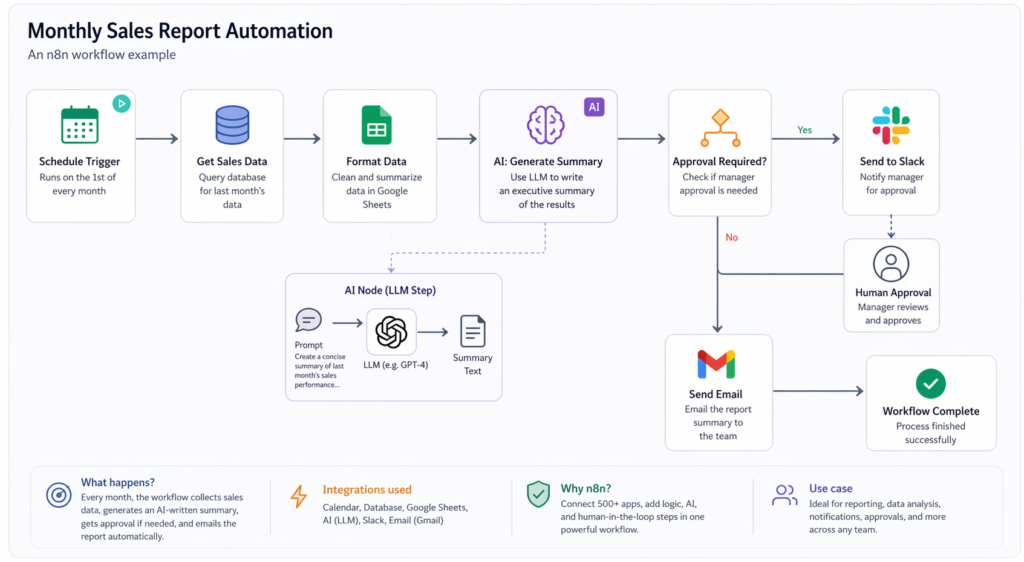
- Key Features: 500+ app integrations (Google Sheets, Slack, etc.), drag-and-drop workflow builder, and now AI nodes for LLM steps. Supports self-hosting (Docker) or cloud SaaS. Human-in-the-loop approvals and rule-based triggers are also possible.
- Platforms: Self-hosted (any server, Docker) or n8n.cloud (hosted SaaS).
- Pricing: Open-source core is free. Cloud hosted plans start around $20+/month. Enterprise licensing with support.
- Privacy/Data: Data stays in user’s environment if self-hosted (ideal for sensitive data). Cloud edition is GDPR-compliant; data between services are encrypted over HTTPS.
- Strengths: Extremely flexible – from simple triggers to complex agentic systems combining multiple AIs. Good visibility (debug logs, partial runs). Active community.
- Limitations: Requires some technical know-how. Workflow maintenance overhead. Lacks out-of-box “ready-made” agents.
- Example: An HR analyst uses n8n to create a monthly report: it pulls sales data from a DB, uses an LLM to write a summary, and emails it to the team automatically.
Comparison Table
| Tool (Dev) | Primary Use Case | Platform(s) | Pricing Model | Privacy/Data Handling |
|---|---|---|---|---|
| GPTHuman AI | Rewrite AI text to humanlike | Web, API, browser extension | Freemium ($15–49/mo) | User content processed on GPT Human servers. Inputs logged (opt-out training available). |
| Winston AI | AI content/image detection | Web, browser ext, API | Freemium (pro ~$39) | Submitted text/images are encrypted and stored(in-house processing). |
| NeuronWriter | SEO content optimization | Web (Chrome ext) | Subscription (~€19–97/yr) | Collects user content and Google API data for analysis. |
| Explainpaper | Summarize & explain research | Web | Freemium ($16/mo Pro) | SOC2/GDPR-compliant; uses AWS. Stores transcripts/explanations. |
| Supernormal | AI meeting notes & deliverables | Desktop app (Win/Mac), Web, Slack | Freemium (credit-based) | SOC2, HIPAA compliant; no audio stored (only encrypted text). |
| Granola | AI notepad for meetings | Desktop (Win/Mac), iOS | Freemium ($14/$35) | SOC2/GDPR compliant; transcripts stored encrypted on AWS, no audio kept. |
| Monity | Website monitoring/alerts | Web | Freemium ($0–$70) | UK GDPR. Encrypts screenshots/HTML on AWS S3; uses cookies, does not sell data. |
| Smartlead | AI cold-email automation | Web, Mobile | Subscription ($39+) | Australian firm (521 Products Pty Ltd). Collects client and scraped prospect data (strict policies via DPA). |
| Lovable | AI app/website builder | Web | Freemium ($25–$50) | SOC2-compliant (enterprise certs). User data and code in AWS/GCP (privacy policy). |
| Kilo Code | AI coding assistant/agents | IDEs (VSCode/JetBrains), CLI, Cloud | Open-source (free) | Open-source; can self-host models (privacy stays local by user choice). |
| n8n | Workflow automation (incl. AI) | Self-hosted (Docker) or n8n.cloud | Open-source/free (cloud from ~$20) | Self-host on-prem for max privacy; n8n.cloud is GDPR compliant. Data encrypted in transit. |
Recommended Workflow (Knowledge Worker)
A typical knowledge worker might combine research, monitoring, and meetings:
flowchart LR
    A[Define research topic] --> B[Use Explain paper to summarize key papers]
    B --> C[Draft initial insights document]
    C --> D[Hold meeting with stakeholders]
    D --> E[Use Granola to record/transcribe meeting]
    E --> F[AI-enhances notes & action items]
    C & F --> G[Merge into report draft]
    G --> H[Use Monity to track related news/competitor sites]
    H --> I[Update report with alerts & insights]
I --> J[Finalize report & distribute]- Explain paper accelerates literature review (step B).
- Granola captures meeting notes automatically (steps D–F).
- Monity watches for new data or competitor changes while you work (steps H–I).
This streamlined pipeline ensures insights from reading and meetings are compiled, and new developments are integrated in real-time.
Adoption Considerations
- Security/Privacy: Many tools operate on cloud infrastructure (e.g., GPT Human, Supernormal, Lovable). Evaluate data sensitivity: use self-hosted options (n8n, Kilo, Granola if offline) or verify compliance (SOC2/GDPR for Granola, Explain paper, etc.). Tools with built-in compliance (Supernormal, Granola) suit regulated industries. Review each vendor’s privacy policy (as we cited) before uploading confidential data.
- Integration: Check if tools fit existing stack. For example, Supernormal and Granola integrate with calendar and video apps (Zoom/Teams), Monity with email/Slack alerts, n8n with enterprise systems. Open-source options (n8n, Kilo) allow custom connectors. Ensure APIs are available for any further automations.
- ROI: Assess productivity gains vs. costs. Many tools offer free trials or freemium tiers – pilot key features. For a team, note the cumulative subscription cost (e.g. many AI credits or per-user fees). Consider ROI through saved work hours: e.g. meeting transcription (Supernormal/Granola) pays off quickly for teams in many daily calls, and automated monitoring (Monity) can prevent missed opportunities.
Future Outlook
By 2026, the AI productivity landscape is diversifying beyond chatbots. We expect deeper verticalization: e.g. domain-specific assistants (AI for legal docs, design, biotech). Interoperability standards (APIs, data formats) will grow to let these tools connect. Advances in on-device AI (for privacy) may shift more processing locally, especially for code or meeting transcription. Finally, as large LLM APIs become commoditized, value will shift to specialized features and workflows (like our recommended pipeline) that blend multiple AI services efficiently. Early adopters should stay abreast of compliance and scalability, ensuring these agile tools deliver real productivity gains.
Sources: Official product sites, documentation, and tech articles as cited above. All tool details are current as of early 2026.